

The Missing Piece to Mini Whiteboards
Getting Students to Act on Feedback

When it comes to formative assessment, in my opinion, there is no better tool than the mini whiteboard. Instead of having only one student answer a question through hand-raising, mini whiteboards require the participation of everyone. When all students hold up their mini whiteboard, the teacher can easily scan the entire room and instantly see who understands a concept and who needs additional support. This allows teachers to gather real-time data and adjust instruction accordingly.
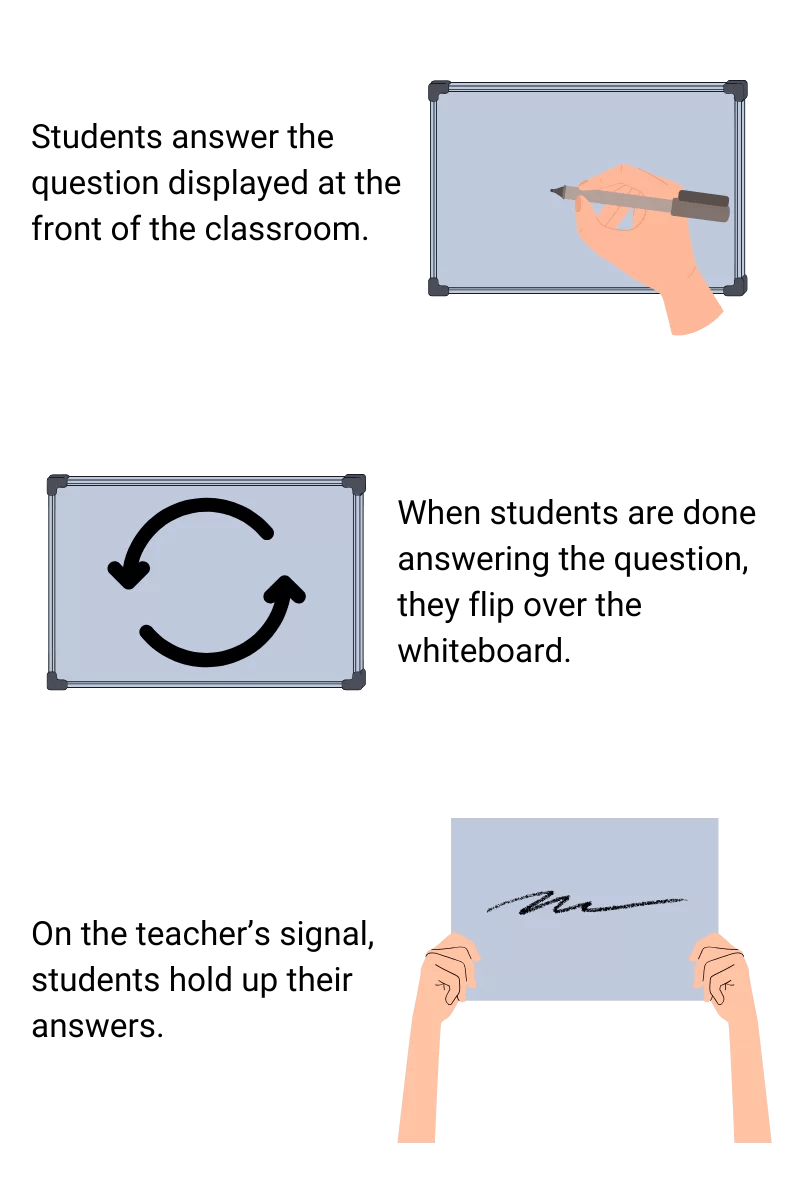
If you are new to mini whiteboards and want to start implementing them in your classroom, you can check my mini whiteboard classroom routines here.
However, there is a problem with mini whiteboards that is usually not addressed. Check out the scenario below:
The teacher presents students with the following stoichiometry problem: Given the balanced equation, how many moles of CO₂ are produced from 5.00 moles of C₂H₄?
The teacher states that they will use dimensional analysis to solve the problem and models the process on the SmartBoard. She then asks students to solve a similar problem on their whiteboards. When the boards are held up, the teacher notices that about 50% of the class has incorrect answers. The teacher revisits the problem, this time addressing a common error she observed on the boards. Students are then given another similar problem to solve, but the teacher observes that around the same 50% of students are still getting the problem wrong.
The problem with this scenario is that despite the teacher providing students feedback on their answers, students are not applying the feedback to their own work. It becomes a classroom version of the question: “If a tree falls in a forest and no one is around to hear it, does it make a sound?” If feedback is given but not taken up by students, does it impact learning?
This exact scenario was happening in my classroom and despite many interventions, I had a hard time coming up with a system that encourages students to apply feedback into their own work. However, when I started implementing Tick-Trick, students began identifying their own mistakes and making corrections in real time.
What is Tick-Trick?
Tick-trick is a system that allows students to apply teacher feedback to their mini whiteboard responses. Once students show you their initial answers, you provide students feedback by asking them to “tick” the correct components of their work.
You provide feedback in the following order:
Avoid commentating.
A common practice that teachers do when looking at mini whiteboard responses is to comment on students’ work. “Wow, Angela! It is clear that you understand the concept!” “Carlos, I need you to add units to your answers please.” I know what you are thinking: “I thought feedback was important.” Yes. It is. But at this stage it is important to provide classroom feedback instead of individual feedback. Individual feedback allows other students to check out since it does not specifically involve them and create a classroom culture of not listening. We definitely want to avoid that. So please do not comment when students are showing you their responses. Just observe and scan the room.
Scan the room.
You want to use your body language to communicate to students that you care about what they have written on their mini whiteboards. To communicate this, make sure to exaggerate your movements when scanning the room.
Point-By-Point Review
As you give feedback, ask students to add a tick or checkmark to each component they got correct. This allows students to apply your feedback to their own work in real-time.
Put a number on the board.
Instruct students to put the number of ticks they got at the corner of their mini whiteboard. This makes it easy for the teacher to see how many components their students got right when they hold up their mini whiteboards again.
Hold Up and Scan Again
You want students to hold up their mini whiteboards again for accountability. You want to see if they actually applied your feedback. Again, use your body language to communicate that.
Note: I have to admit that sometimes students do not pay attention and then immediately add ticks randomly toward the end to pretend they applied the feedback. When this happens, I have a one-to-one conversation with the student after class and a phone call home. This usually resolves the issue.
Overall Results
Going back to the original scenario presented at the beginning of this post: every year, I always struggled teaching stoichiometry because it involves a lot of chemistry background knowledge, including the law of conservation of mass, balancing chemical equations, molar mass, mole ratio, significant figures, and dimensional analysis. These are complex concepts on their own but combining them into a stoichiometry problem left a lot of room for error.
I was able to break down these concepts into steps and incorporate Tick-Trick to ensure that students are checking every step of the way. Students were able to see exactly which part of the stoichiometry process they were struggling in and quickly remediate it. I heard a lot of light bulb moments going off (“Ohhhhhhhhh”) during Tick-Trick. I am really kicking myself for not recording this lesson but I will be recording again soon!
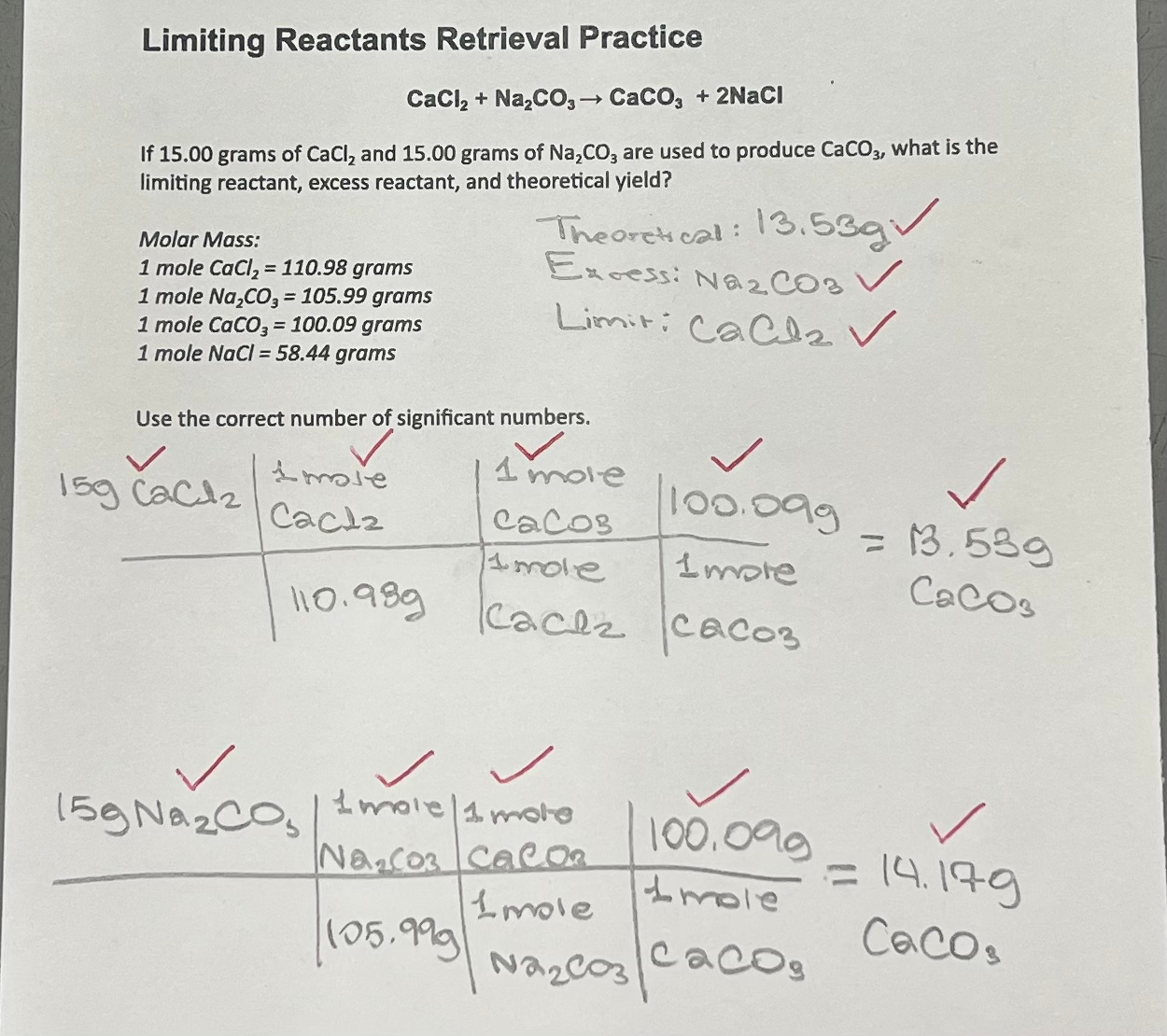
I also incorporate the tick-trick on paper work as you can see below:
Honorable Mention: Carousel Teaching
I was able to implement Tick-Trick successfully thanks to Carousel Teaching. This post only provides a small glimpse of what the platform offers.
As a teacher in the United States, it was difficult to find professional development that aligns with cognitive science principles. When I first learned about cognitive science, I had to implement these principles on my own with no prior examples or models of these teaching strategies. Since there was no support available, I had no choice but to rely on trial and error. It was a very frustrating and exhausting experience.
To help me with this, I looked for online professional development and decided to give Carousel Teaching a try. It had good reviews and I wanted to see it for myself. And I’m so glad I did.
Carousel Teaching follows this process:
It begins with detailed explanations of teaching strategies through live modeling. (No death by Powerpoint!) If you are not familiar with live modeling, it is an instructional strategy in which the instructor writes on a blank surface and does a think-aloud. It respects the limits of working memory which makes it easier to digest the information.
It then provides in-class lesson footage with live commentary. This is my favorite part of the module! It helps teachers and school leaders understand both the how and the why behind each strategy. Seeing these approaches modeled in real classrooms was exactly what I was looking for. It provided me an opportunity to see strategies modeled in authentic classroom contexts.
Afterward, the platform provides clear summaries that go over the key points.
It concludes with a multiple-choice quiz to check for understanding. The quiz includes classroom footage that encourages teachers and school leaders to interpret what they see, decide which strategy is being used, and evaluate whether it is being implemented effectively.
It is very evident that Adam Boxer and his team put a lot of thought into Carousel Teaching and I encourage teachers who are new to this cognitive science journey to try it out! They are going to add more courses soon and I am very excited to see this come to fruition.
To be clear, I am not getting paid to promote this platform. I genuinely find it useful.
I have so far completed the following courses.
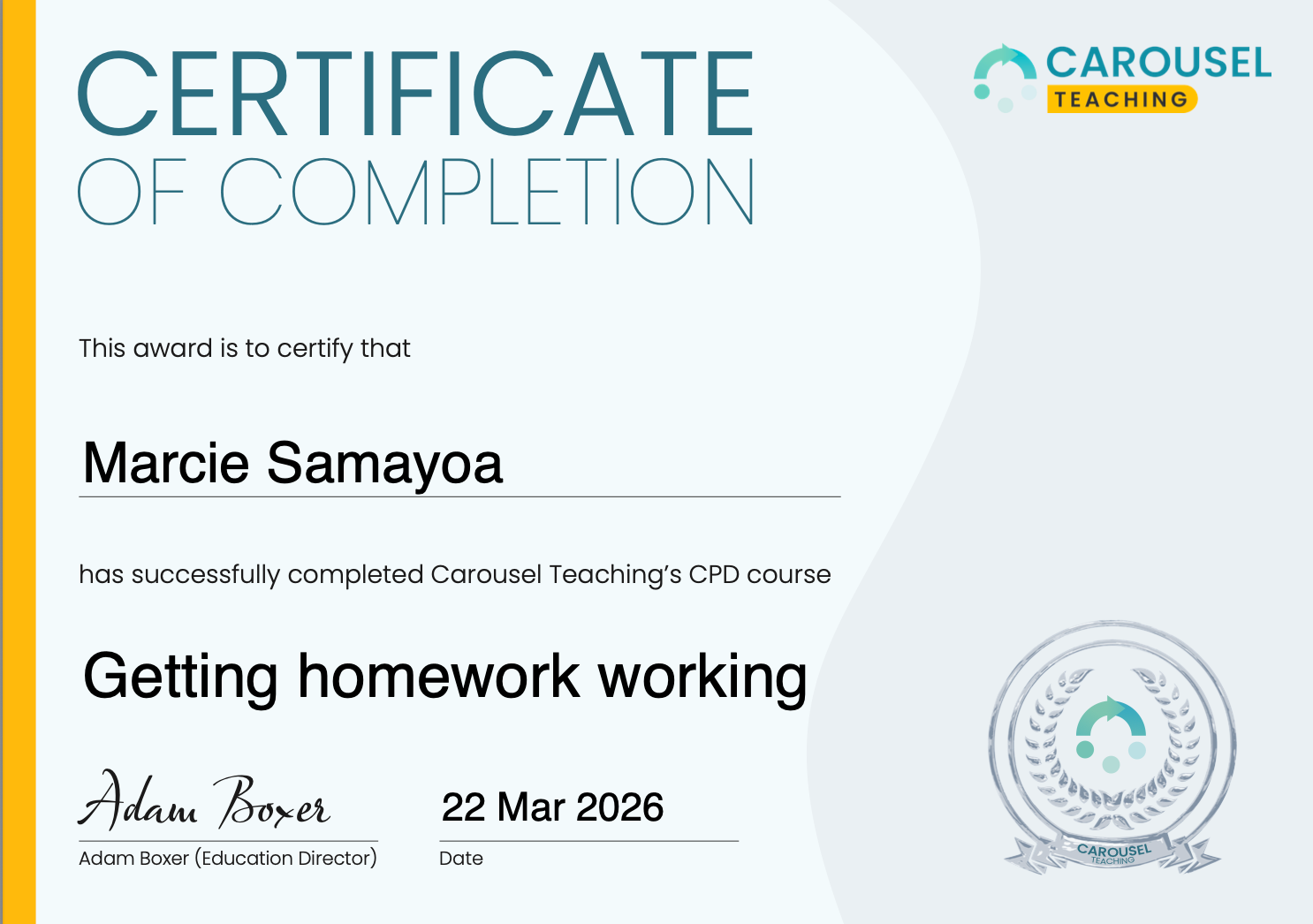
I am currently trying to implement routines for homework. I will provide an update on that in the upcoming months so if you want to stay tuned please subscribe below.
Thanks so much for the clear and detailed write up.
Did you put the white boards in dry erase pocket sleeves with a small erasure, or did you use a cloth? What works best. I teach special ed and they can be a handful with supplies. The most streamlined set up for them is the best. ;-)